The 4-Step Trick That Makes Powering Down Painless
Not all screen time is the same. What they do on it matters more than how long.
- Kids raised with the co-pilot approach come to you when something goes wrong online, regulate their own screen habits, and stay engaged offline.
- The move: stop counting minutes — start sorting screen time into creative (building, coding, making) vs consumptive (scrolling, autoplay, watching).
Your kid puts the iPad down. No tears. No negotiations. Here's how.

Picture this: your six-year-old is deep in a game. You say "five more minutes." Five minutes pass. You say "time's up." And then... nothing happens. No screaming. No bargaining. They put it down and ask what's for dinner.
Fantasy? Not if you set up the transition right. The meltdown doesn't come from the screen going off. It comes from the gap between "screen off" and "nothing to do." Close that gap, and the fight disappears.
The EASE Method
Four steps. Takes about two minutes. Works on tablets, phones, TV, gaming consoles -- anything with a glowing rectangle.
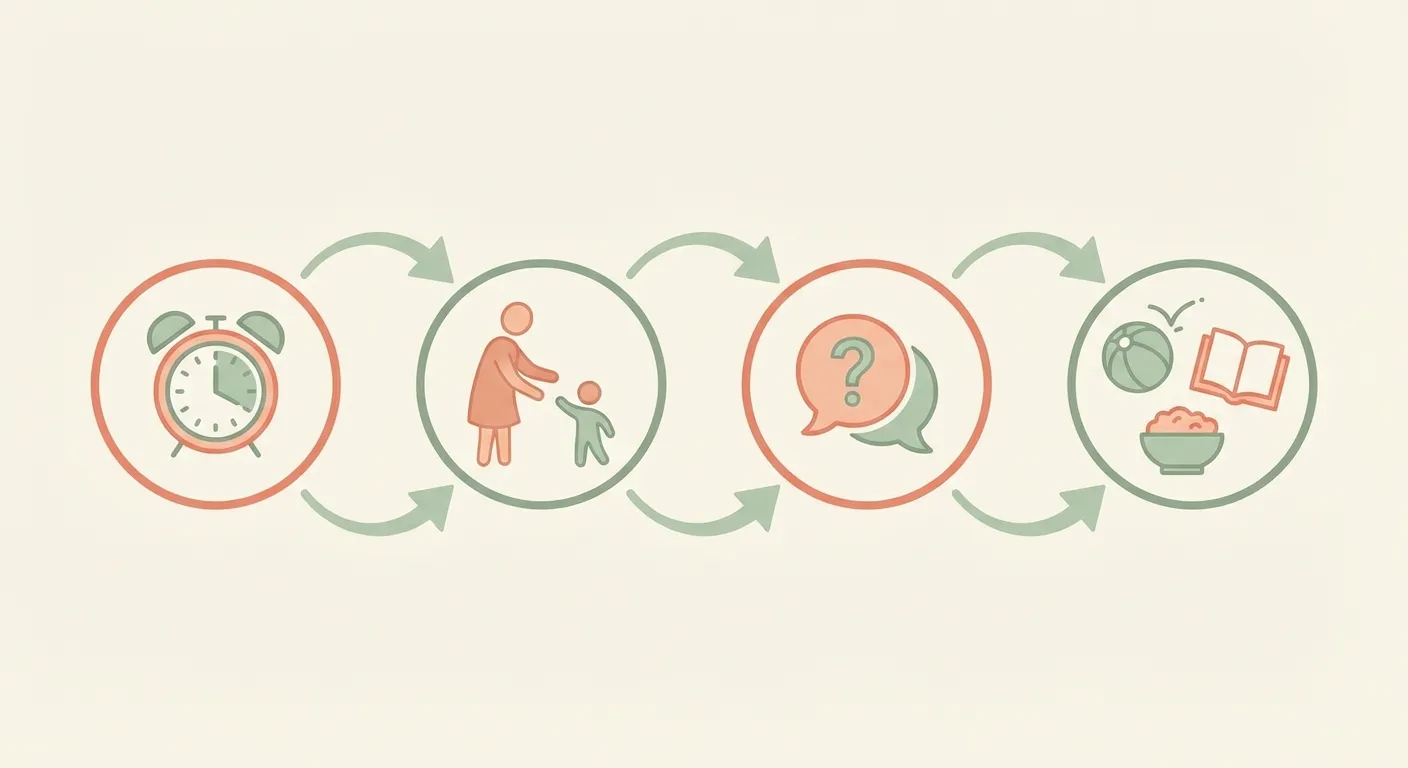
Expect It
Before they pick up the device, agree on the plan. No surprises means less resistance.
Approach Warmly
When time is winding down, move close. Sit near them. Your calm presence signals the transition without triggering fight-or-flight.
Show Interest
Genuine curiosity about their screen world pulls their attention from the device back to you.
Ease the Landing
Have the next thing ready. A snack, a game, going outside. The meltdown lives in the gap between "screens off" and "nothing."
That's it. Expect, Approach, Show interest, Ease the landing. The magic is in step four: you're not taking something away, you're handing them something better.
But What Counts as "Too Much" Screen Time?
Wrong question. Better question: what is your kid doing on that screen?
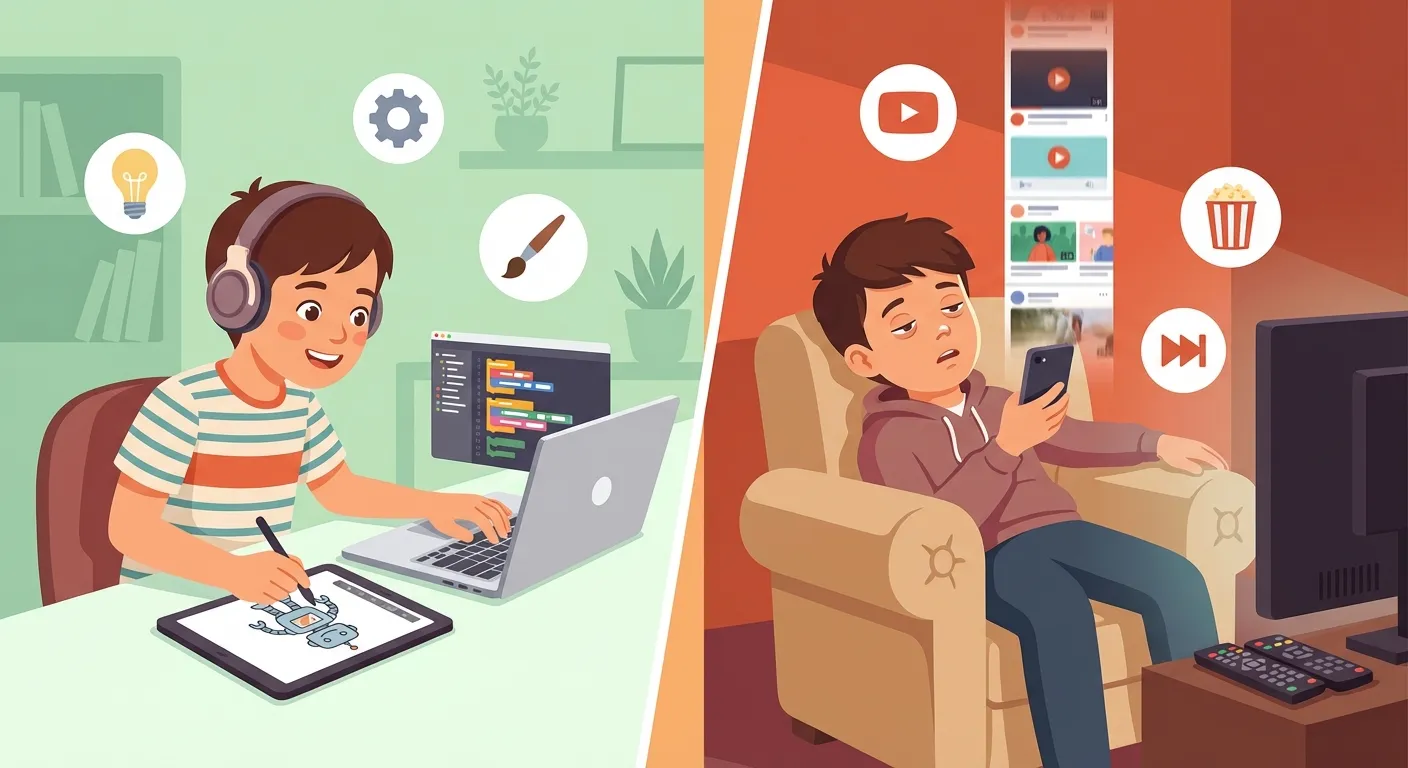
| Creative Screen Time | Consumptive Screen Time |
|---|---|
| Coding an app or game | Scrolling TikTok on autoplay |
| Drawing in Procreate | Watching unboxing videos |
| Following a tutorial to build something | Clicking through random YouTube recommendations |
| Playing a strategy game with friends | Watching someone else play a game |
| Researching a topic they're curious about | Passively absorbing whatever the algorithm serves |
Creative screen time strengthens working memory and problem-solving. Consumptive screen time lights up the same reward circuits as other compulsive behaviors. Same device. Completely different brain activity.
Three Ways Parents Handle Tech
Co-Pilot
You're alongside them. Playing their games, watching their shows, having real conversations about what they see online.
Open Road
Few boundaries. The child navigates alone. You're not engaged with their digital world.
Roadblock
Heavy restrictions without discussion. Control replaces connection. Rules exist but the "why" is never explored.
Kids whose parents co-pilot show better outcomes across the board. Not because the rules are perfect, but because the relationship stays strong -- and kids actually come to you when something goes wrong online.
What Co-Piloting Looks Like Day to Day
- Sit down and play their game with them. Ask genuine questions about what's happening.
- Set family-wide screen boundaries -- not rules that only apply to kids. Devices in a drawer after 8pm. No phones at the table. Everyone.
- Talk openly about what they see online. The weird stuff. The confusing stuff. Make yourself the first person they think to tell.
- Involve your kid in setting the rules. People follow boundaries they helped create.
- For teens: discuss how social media is designed to keep you scrolling. No moralizing. Just facts.
- Model what you're asking. If your phone is always in your hand, that's the loudest message.
It was never about screens. It's about raising a kid who can manage their own attention, make good choices, and talk to you when things get hard.
The Weekly Pulse Check
Stop counting daily minutes. Instead, ask yourself these five questions once a week. If most answers are yes, you're doing fine -- regardless of what the screen time counter says.
This Week, Is My Kid...
Five yeses and a pile of screen time? Relax. Three nos and barely any screen time? The problem isn't the iPad.